Augmented reality menu
The dish at real sizeon your guest’s table.
They scan the QR code on the table, tap a dish, and see the size the kitchen will actually bring. No app to install.
- No app for your guest
- 50% off your first month
- The whole menu in one afternoon
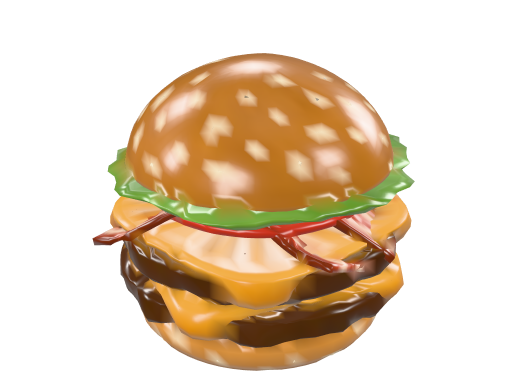
Hambúrguer da casa14.2 cm · feeds 1 person
50% off your first month, no lock-in. We build one dish from your menu at no cost, so you can see it on your own table.
The QR opens in the browser
The camera already on the phone reads the table card. Nothing to install, nothing to sign up for.
The measurement comes from a ruler
You measure the rim of the dish in centimetres, and that is the measurement augmented reality uses, at fixed scale.
Every dish is a model
Not a photograph: layered geometry that you turn, check and approve before anything goes live.
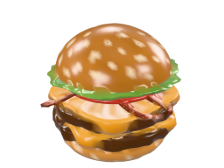
14.2cm
Hambúrguer da casa
feeds 1 person
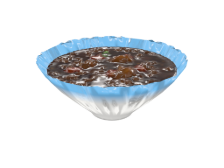
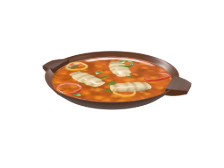
24cm
Feijoada completa
feeds 2 people
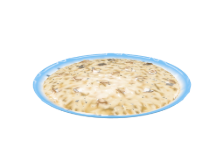
42cm
Travessa de risoto
feeds 4 people
All three are our own models, and every width came from the ruler that measured the real dish. That is the measurement that opens at real size on your guest’s table.
How it works
From the QR code to the dish on the tablecloth.
Four steps, and not one of them asks your guest to install anything. Behind the counter, nothing changes in the routine.
- 01
The card on the table
The QR code is printed on the table card. The camera already on the phone reads it, with no app and no sign-up.
- 02
The menu opens in the browser
Photo, description, price and how many people the dish feeds, each with its real measurement written underneath.
- 03
The dish lands on the tablecloth
They point the camera at the table and the dish appears at the size the kitchen will bring. They can walk around it.
- 04
The order reaches the counter
They choose on screen and the order lands at the counter in under two seconds, with the table already identified.
On your guest’s table
The menu opens on their phone, and the dish lands on the tablecloth.
First, the four moments as they happen in the dining room. Then the same dish, for you to put on your own table right now, through the camera.
How it looks on your guest’s phone
They point the camera at the table QR
This QR code opens the demo on your phone. Tap the first dot to hold the scene, then point the camera at the screen.
Try it now
Put a dish on your own table.
Hambúrguer da casa
14.2 cm · feeds 1 person
Augmented reality opens on a phone, through the camera. On this monitor you can turn the dish with the mouse.
The waiter stops guessing
The question about how many people a dish feeds leaves the table, because the answer is on screen, in centimetres.
The sharing dish joins the conversation
Once the group sees it taking up the table next to the single plate, the comparison makes itself.
Fewer plates go back
The guest got what they expected, because they saw it beforehand, at the right size, on their own table.
Not a photograph
Every dish is a model, built in layers.
A photograph does not come apart. These three are shown open, each layer in place and as thick as it really is: that is where the height of the dish comes from, not from a number picked by eye.
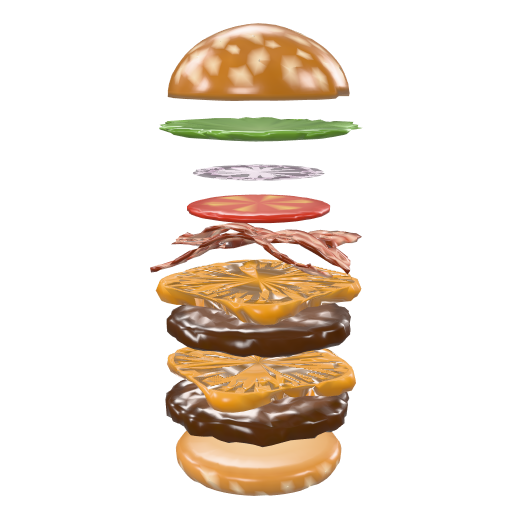
10 layers
Hambúrguer da casa
From the bottom bun to the top one, through patty, cheese, tomato, onion and lettuce. Stacked, they compress half a centimetre, and it is the compressed burger we measure.
Pao Carne, 180 g Queijo cheddar Carne, 180 g Queijo cheddar Bacon Tomate Cebola roxa Alface Pao com gergelim
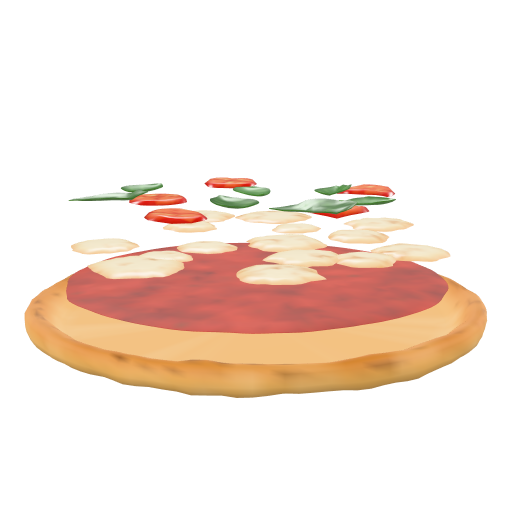
4 layers
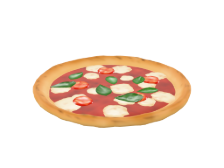
Pizza de margherita
Dough, sauce, mozzarella, and a topping of tomato and basil. The rim rises higher than the centre, the way it leaves the oven, and the mozzarella melts into pools with the sauce showing between them.
Massa Molho de tomate Muçarela Tomate e manjericão
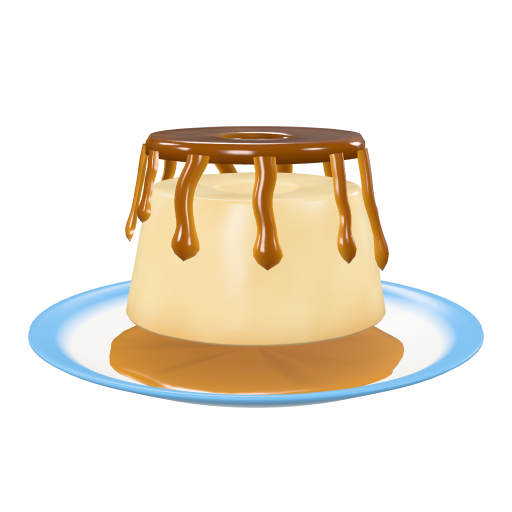
3 layers
Pudim de leite
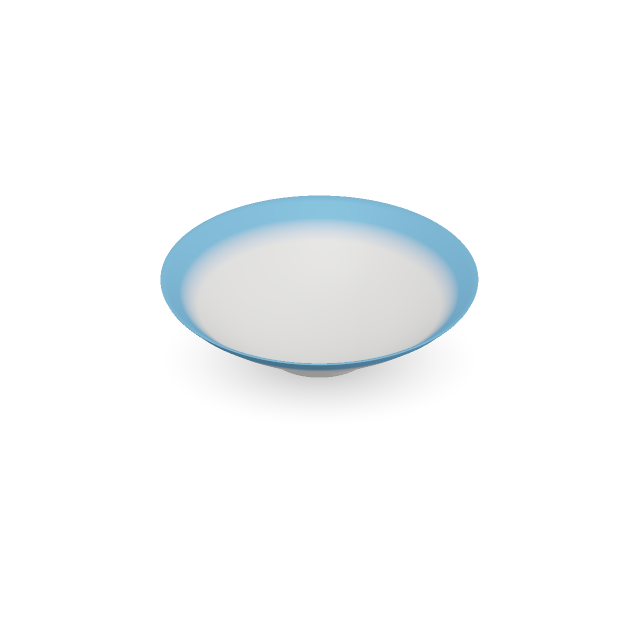
Plate, flan and caramel. The truncated cone is the shape it holds once turned out of the mould, and the caramel runs down the side in strands of different lengths until it pools on the plate.
Prato Pudim Calda
 single
 sharing
And the measurement is real
Both were drawn at the same 48.3 cm framing, so the difference in size between them is real, not a layout choice.
You are the one building it
One afternoon, one phone and one ruler.
No photographer, no studio, and nobody from our team has to set foot in your restaurant. The whole menu fits between lunch and dinner, and after that you swap two or three dishes a month.
- 3 to 6
photos per dish
Walk around the dish with the counter phone. Clean table: a glass, cutlery or a chair in the background confuse the reconstruction.
- 1
ruler, edge to edge
The width of the dish rim, in centimetres. That measurement becomes the size your guest sees on their own table.
- 0
surprises at publish time
You turn the model, check the scale and approve. Nothing goes live before that, and a failed attempt costs you no quota.
It works with your menu
From a burger to the dish that feeds the table.
Any category fits the same menu, and every dish carries its own measurement. That is what decides the size that shows up on your guest’s table.
Pricing
The plan is where the order comes in.
Flat price, no fee per order. You pick the channel, from the dining room to delivery, and the size of your menu inside it.
50% off your first monthOn any plan, your first month is half price. After that, the regular price, no lock-in.
On the yearly plan, 2 months are on us
Delivery
Your guest gets the link, opens the menu at home and orders for delivery.
R$172.49per month
First month for R$86.24
Up to 50 dishes, 60 model builds per month
- Table ordering, by QR codenot included
- Delivery orderingincluded
- Printable table cardsnot included
Menu size
Dining roomour pick
Your guest is in the room, scans the table QR code and orders from the table.
R$284.99per month
First month for R$142.49
Up to 50 dishes, 60 model builds per month
- Table ordering, by QR codeincluded
- Delivery orderingnot included
- Printable table cardsincluded
Menu size
Complete
Both channels out of the same kitchen: the table and delivery.
R$382.49per month
First month for R$191.24
Up to 50 dishes, 60 model builds per month
- Table ordering, by QR codeincluded
- Delivery orderingincluded
- Printable table cardsincluded
Menu size
In every plan, on all three channels
- Augmented reality on every published dish
- Drinks with a photo, outside the dish limit
- Menu in Portuguese, English and Spanish
- Kitchen ticket at the counter, in real time
- Menu conversion dashboard
- No fee per order and no lock-in
On the yearly plan you pay ten months and use twelve. Within the channel you signed up for, table ordering and delivery switch on and off in the panel whenever you want, with no change of plan.
Assisted setup, optional
We come to the restaurant, photograph it properly and build the whole menu for you. It exists for a technical reason: advertising photography of a dish comes with a glass, cutlery and a chair in the background, and the reconstruction tries to rebuild all of that along with the food. Photographing to be scanned is a different craft.
FAQ
Frequently asked questions
Questions before you start? We answer them.
No. You create the account here on the site, pick your menu address and go straight into the panel. Assisted setup is there for whoever wants it, not for whoever needs it.
No. They point the camera at the QR code on the table and the menu opens in the browser that already ships with the phone. Augmented reality runs right there, with nothing to install and no sign-up.
You can. On the Delivery channel the menu opens through the link you send, with no table card and no table, and your guest still sees the dish at real size. If you want both channels, take Complete.
Yes. Table ordering is a switch in the panel. Turned off, the menu shows the dish and the price and asks your guest to call the waiter, with no cart at all.
No. Delivery is a switch in the panel too, and you can turn it off on a busy Saturday without touching the plan or the price.
You pay ten months at once and use twelve. The yearly amount is ten times the monthly price of the plan you picked, and the per-month price on the table is that same amount divided by twelve, only so you can compare it with the monthly plan. The first yearly charge comes with half a month off, and everything is paid in the panel, by Pix, card or boleto.
Yes, on iOS 16 or newer, through Quick Look. On Android it works on devices with ARCore, which is most of what has been sold in recent years.
They see the dish turning on screen, with the width in centimetres underneath. If the device cannot manage even that, they see the photo. Nobody is left with nothing.
A fifteen-dish menu is done in an afternoon, using only the counter phone. You photograph, measure the rim with a ruler, and approve.
No. The QR code points at the table, never at a dish. You can replace the entire menu and the cards keep working.
In the dining room, no: their session is a random number that expires in six hours, with no name, no phone number and no identifying cookie. On a delivery order they give a name, a phone number and an address, which are kept with the order and visible to you, because there is no delivery without an address.
You reject it and build it again. Nothing goes live without your approval, and a failed attempt costs you no quota.